
MIDjourey Guide I
Getting started with midjourney
by
virtual Dreaming
Created For Beginners
Designed for visionaries
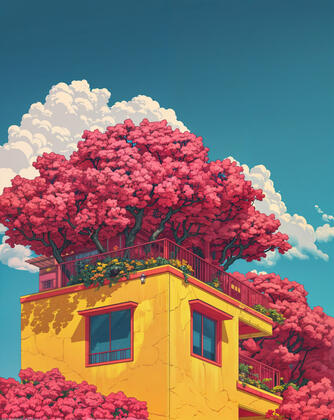
Generated with midjourney V.6
What is Midjourney?
Midjourney is an advanced AI technology that specializes in generating images based on natural language descriptions. It functions by interpreting prompts, which are textual instructions provided by the user, to create visual outputs that accurately reflect the descriptions.
How does it work?
Essentially, Midjourney utilizes two advanced machine learning technologies: large language models and diffusion models. The large language model processes the text to generate a detailed understanding of the prompt, while the diffusion model uses this information to synthesize corresponding visuals.
Understanding the basics
Understand the Command:
To generate an image, type the /imagine command followed by a description of the image you want to create.
Compose Your Description:
Think about what you want your image to depict and describe it in plain language. For example, "a red apple on a wooden table" or "a sunset over a calm ocean"
Your Description:
Type or paste your description after the /imagine command. It might look something like this: "/imagine a red apple on a wooden table"
Optional Parameters:
Parameters changes the way the images are generated. You can add parameters such as aspect ratio, model versions, negative prompts, chaos, and much more.
List of BASIC Parameters
| PARAMETERS | COMMAND | DESCRIPTION |
|---|---|---|
| ASPECT RATIO | --ar | WIDTH-TO-HEIGHT RATIO OF AN IMAGE |
| CHAOS | --chaos <number 0-100> | HOW VARIED YOUR GRID WILL BE (HIGHER NUMBER WILL GENERATE MORE UNEXPECTED RESULTS) |
| CHARACTER REFERENCE | --cref | USE IMAGE LINKS AS A CHARACTER REFERENCE THROUGHOUT DIFFERENT SITUATIONS |
| NO | --no | NEGATIVE PROMPTING: WILL TRY TO REMOVE SPECIFIC ELEMENTS |
| STYLIZE | --s <number> | THE STRENGTH OF THE AESTHETIC APPLIED TO THE PROMPT |
| STYLE REFERENCE | --sref | WILL APPLY THE STYLE AND AESTHETIC OF AN IMAGE LINK TO THE PROMPT |
| MODEL VERSION | --v | DIFFERENT MODELS OF MIDJOURNEY [CURRENT VERSION: 6] |
How to write prompts?
Visualize Your Image
Before diving into writing your prompt, take a moment to visualize the image you want to create. Consider the scene, objects, colors, and mood you want to convey. The clearer your vision, the easier it will be to translate it into a compelling prompt.
Be Specific and Descriptive:
Precision is key when writing prompts for Midjourney. Be as specific and descriptive as possible in your instructions. Include detailed nouns, vivid adjectives, and dynamic action verbs to paint a vivid picture for Midjourney to work with.
Consider Style and Aesthetics:
Midjourney is capable of mimicking various styles and aesthetics, from popular anime films to specific animation eras. If you have a particular style or reference in mind, don't hesitate to mention it in your prompt. This will help Midjourney capture the desired look and feel of your image.
Experiment:
Don’t be afraid to experiment. Achieving the perfect image requires trial and error. Try incorporating colors, different art styles, elements, tones, or anything your mind can imagine.
For example, you can adjust color tones, time of day, and season, or add elements like trees, flowers, clouds, and rain. You can also create specific scenes such as nighttime or sunny settings.
Example Prompt
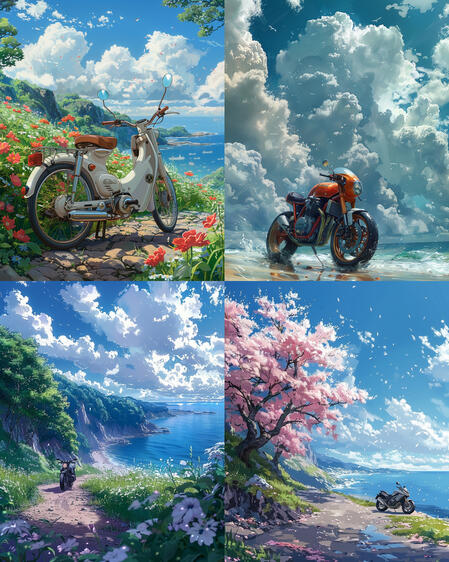
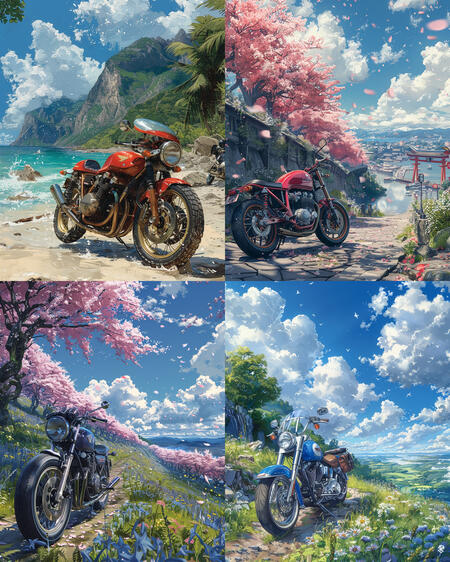
/imagine a motorcycle parked by the beach, retro anime style, detailed skies, sunny day, spring --s 750 --c 50 --v 6.0 --ar 4:5
MIDJOURNEY GUIDE I: GETTING STARTED WITH MIDJOURNEY provides a brief introduction to Midjourney and some of its capabilities. We introduced writing prompts, various parameters, and different styles.
MIDJOURNEY GUIDE II: CREATING YOUR FIRST IMAGE will explore additional quality settings and provide more opportunities for experimenting with your images
aDDITIONAL TIPS
FOR MORE SPECIFIC TIPS AND HELP, YOU CAN DM ME AT @VIRTUAL.DREAMING ON INSTAGRAM
Copyright © Virtual Dreaming. All rights reserved.